
Swipe to Clean Up Your iPhone Camera Roll
Go through your photos one at a time: swipe left to delete, swipe right to keep. ByePhotos remembers where you stopped, so a few minutes a day is enough to work through thousands of photos.

How It Works
- 1
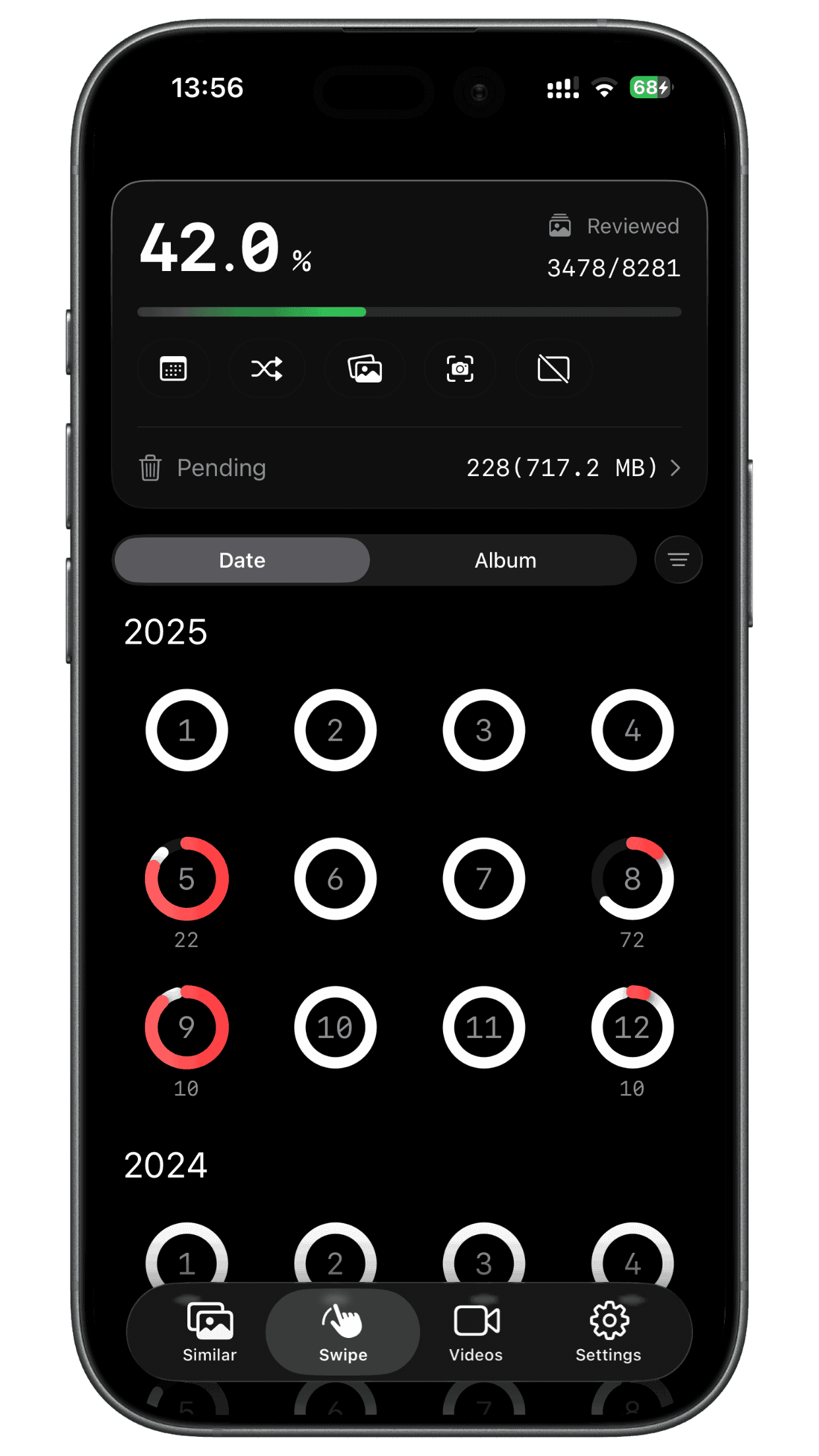
Pick where to start
Organize by month or by album, or jump into Random, Oldest, Newest, On This Day, Screenshots or Videos.
- 2
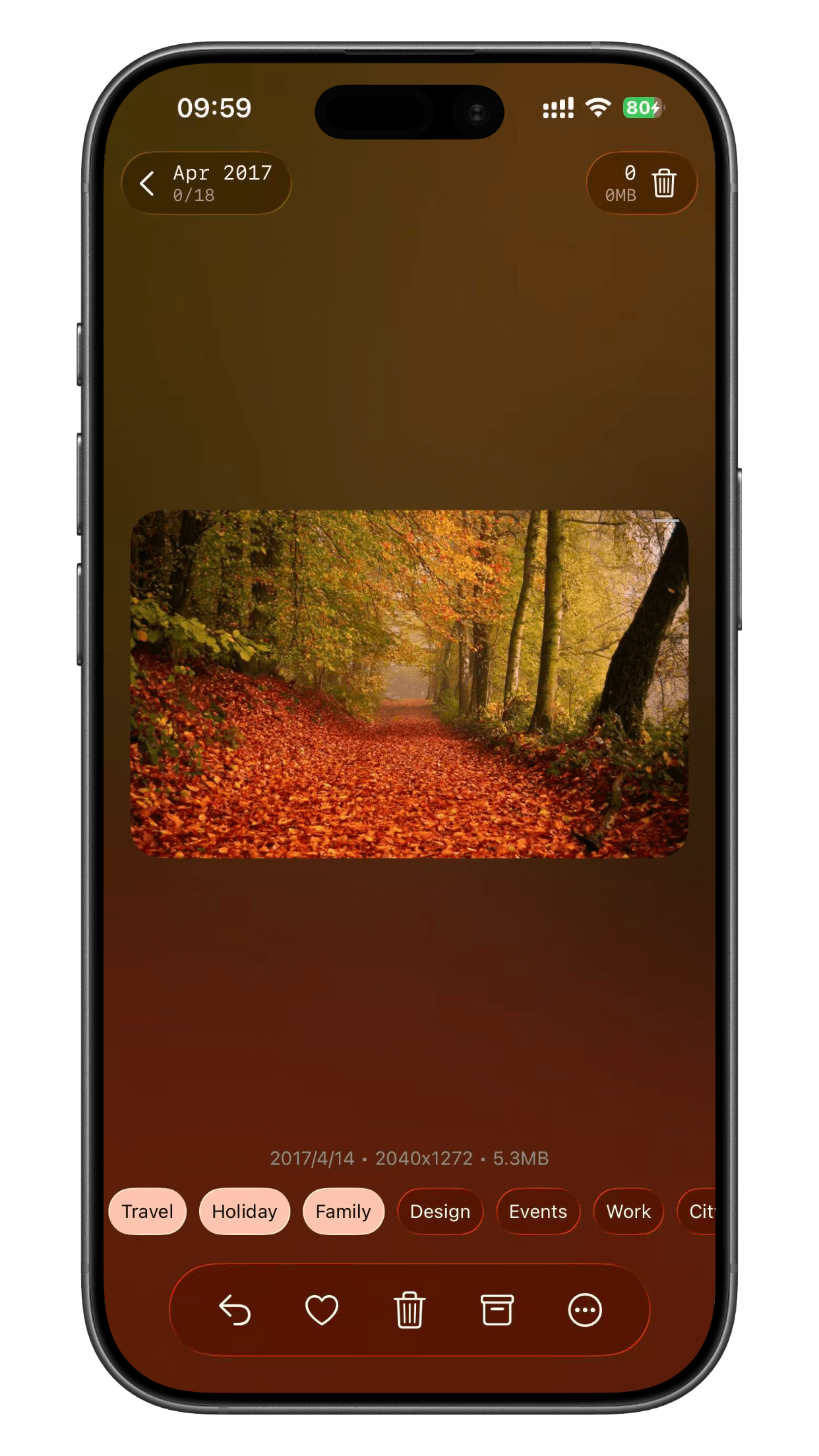
Swipe through
Swipe left to delete and right to keep. Tap an album to file the photo as you go.
- 3
Review and delete
Photos you swiped away wait in a Pending list. Check them once more, restore anything you want back, then delete them all at once.
Small Details That Make It Fast
One-tap albums
An album bar sits right below each photo. Tap an album to add the photo and mark it as kept.
Progress at a glance
See the completion percentage and how many photos are left. Stop at any time and pick up where you left off.
Gallery view
Swipe down to browse the whole set and multi-select photos to keep or delete in bulk.
Rotate and crop
Fix a photo without leaving the cleanup flow.
Swipe Cleanup FAQ
Start Swiping Your Camera Roll Clean
Free to download. Try it on your own photo library.